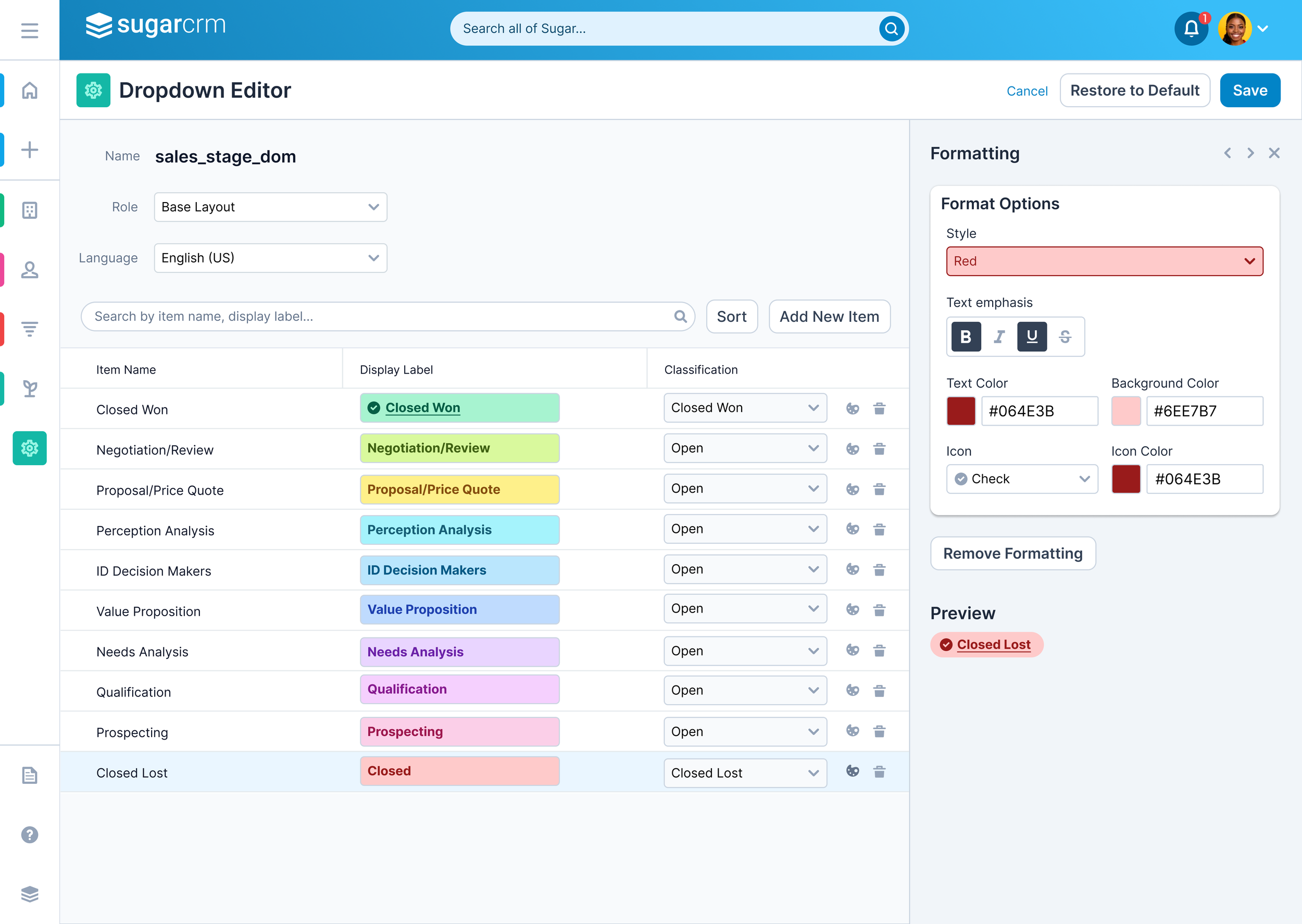
Conditional Formatting
The Background
Users managing large lists of leads, accounts, or tasks in the CRM were struggling to quickly identify items that required attention because all rows looked visually the same.
Teams relied on manual color-coding in spreadsheets or tribal knowledge, leading to inconsistent prioritization and missed follow-ups.
As the volume of customer data grew, it became clear that the CRM needed a scalable, rules-based conditional formatting capability to surface urgency, status changes, and key risk indicators at a glance.
Competitive Research
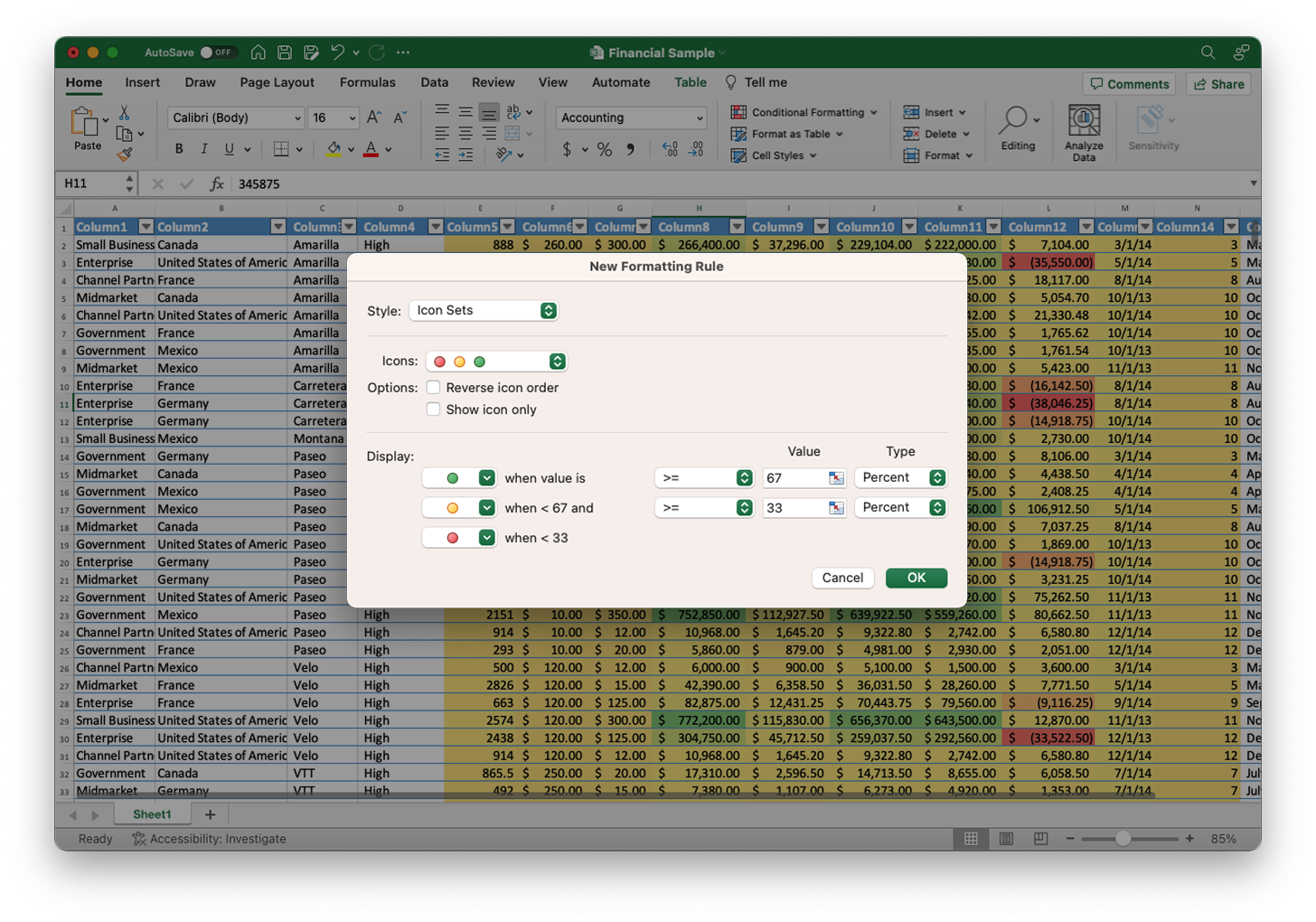
Before starting on low fidelity mocks, I looked at what other products had including CRMs like Salesforce and Microsoft Dynamics 365, as well as non-CRM products like Bob.
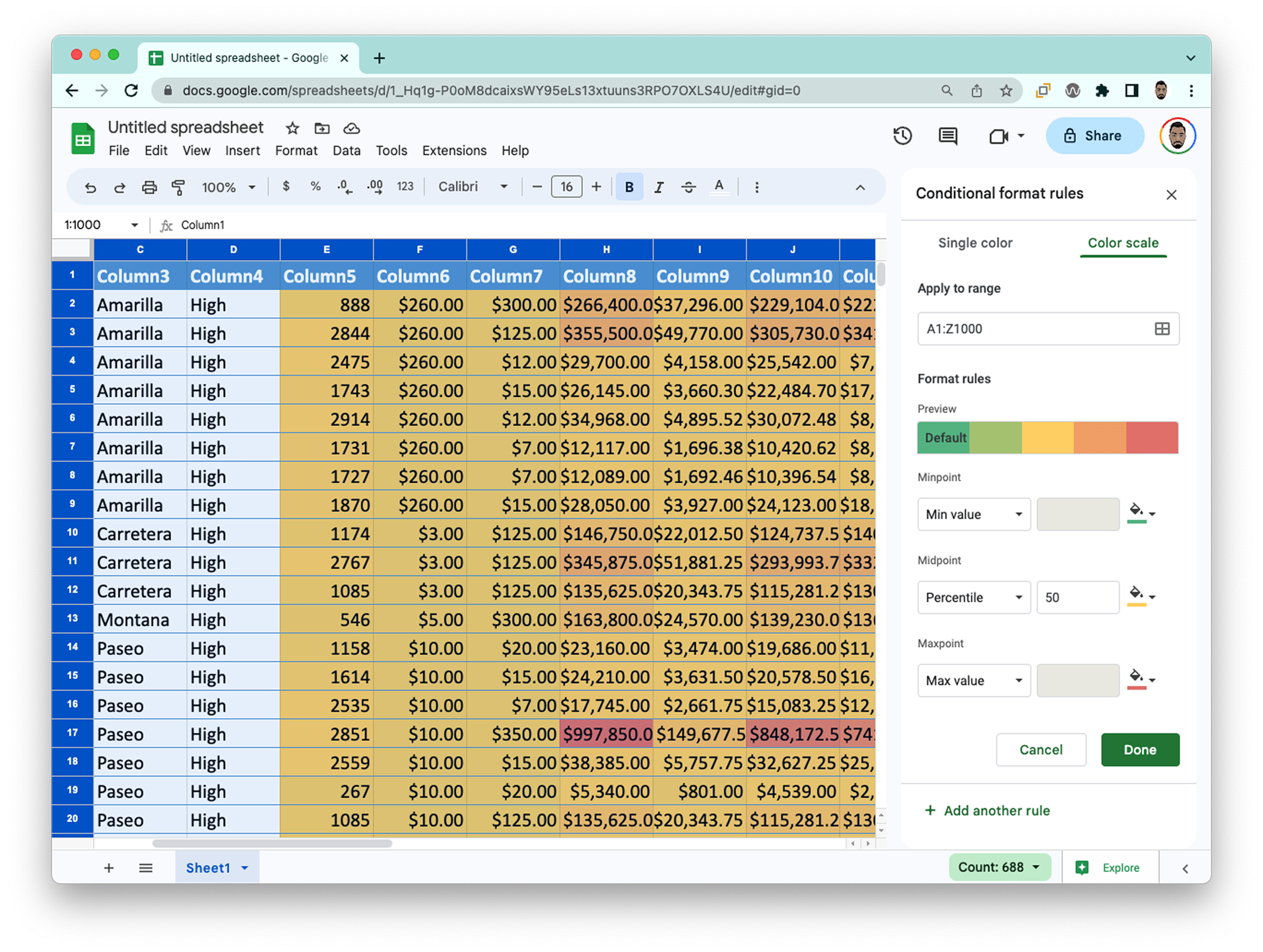
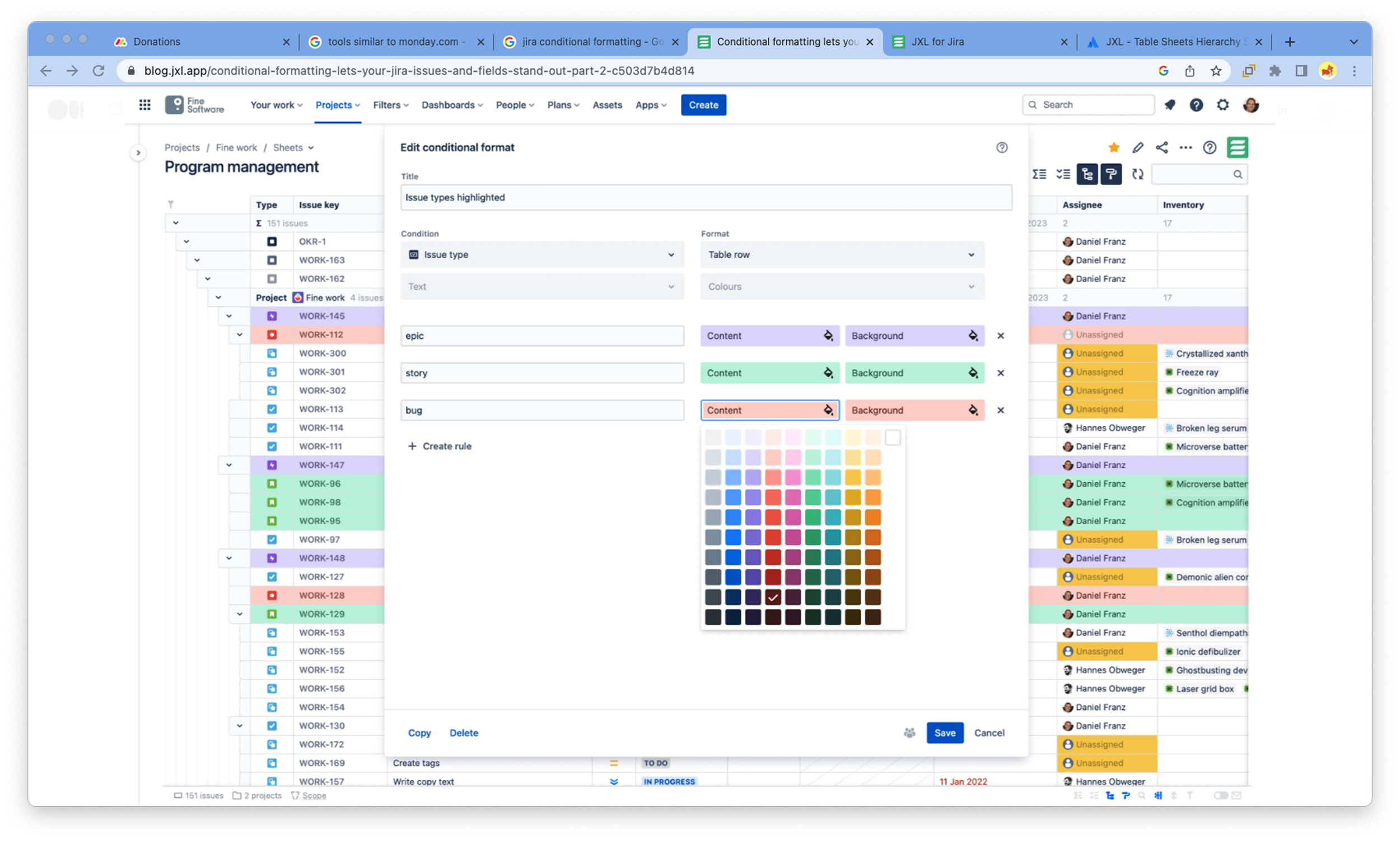
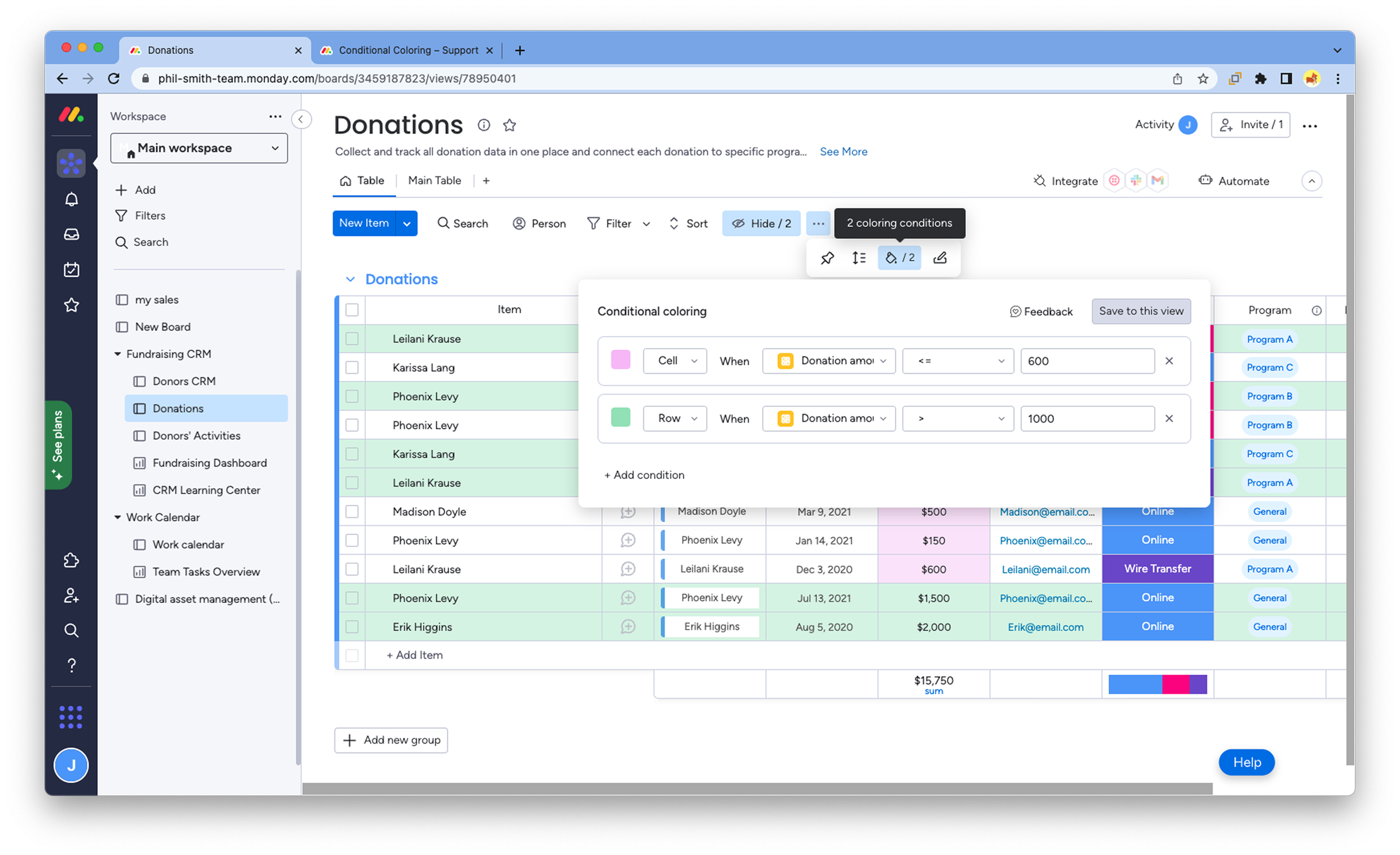
Low Fidelity Mocks and A/B Testing
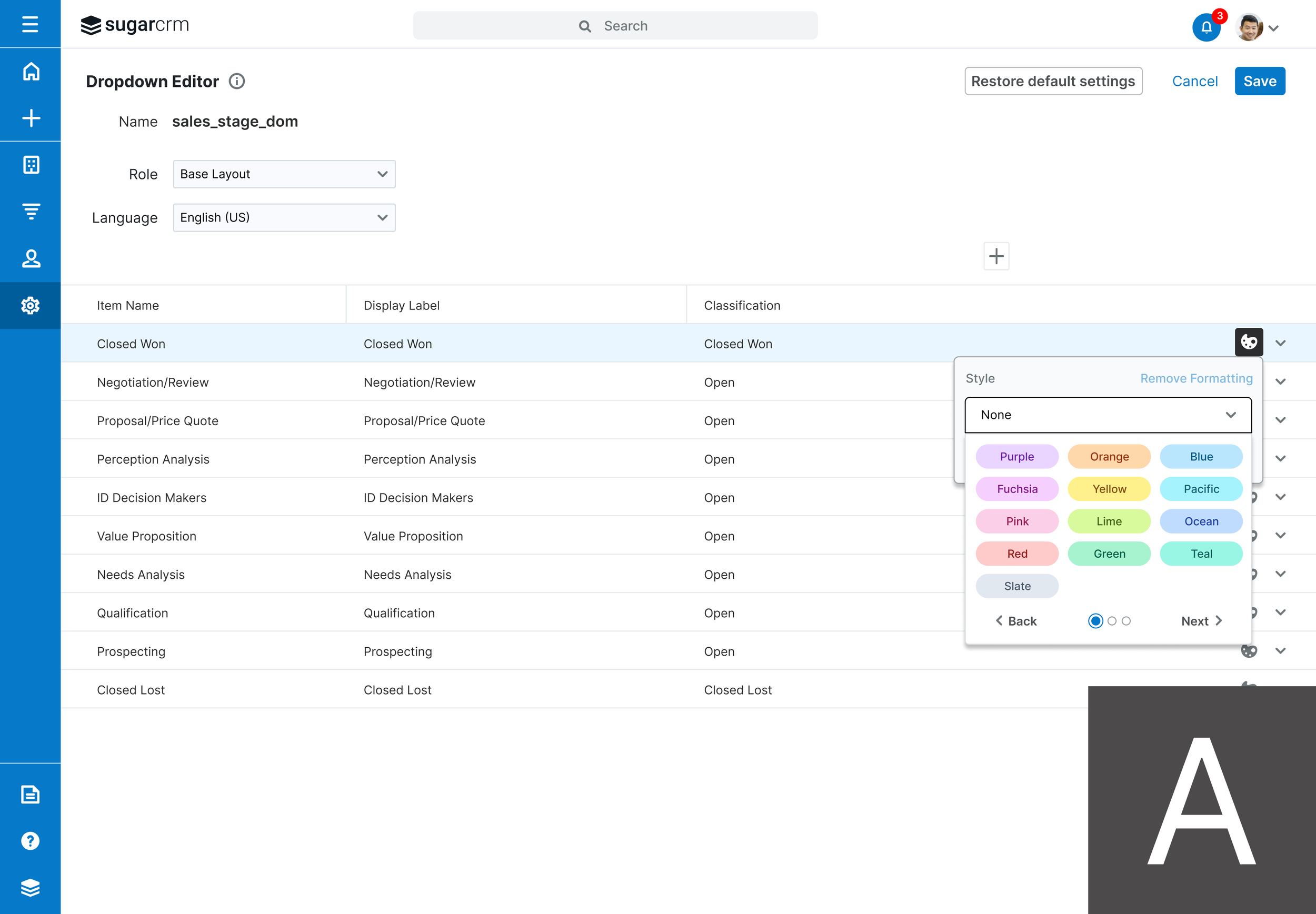
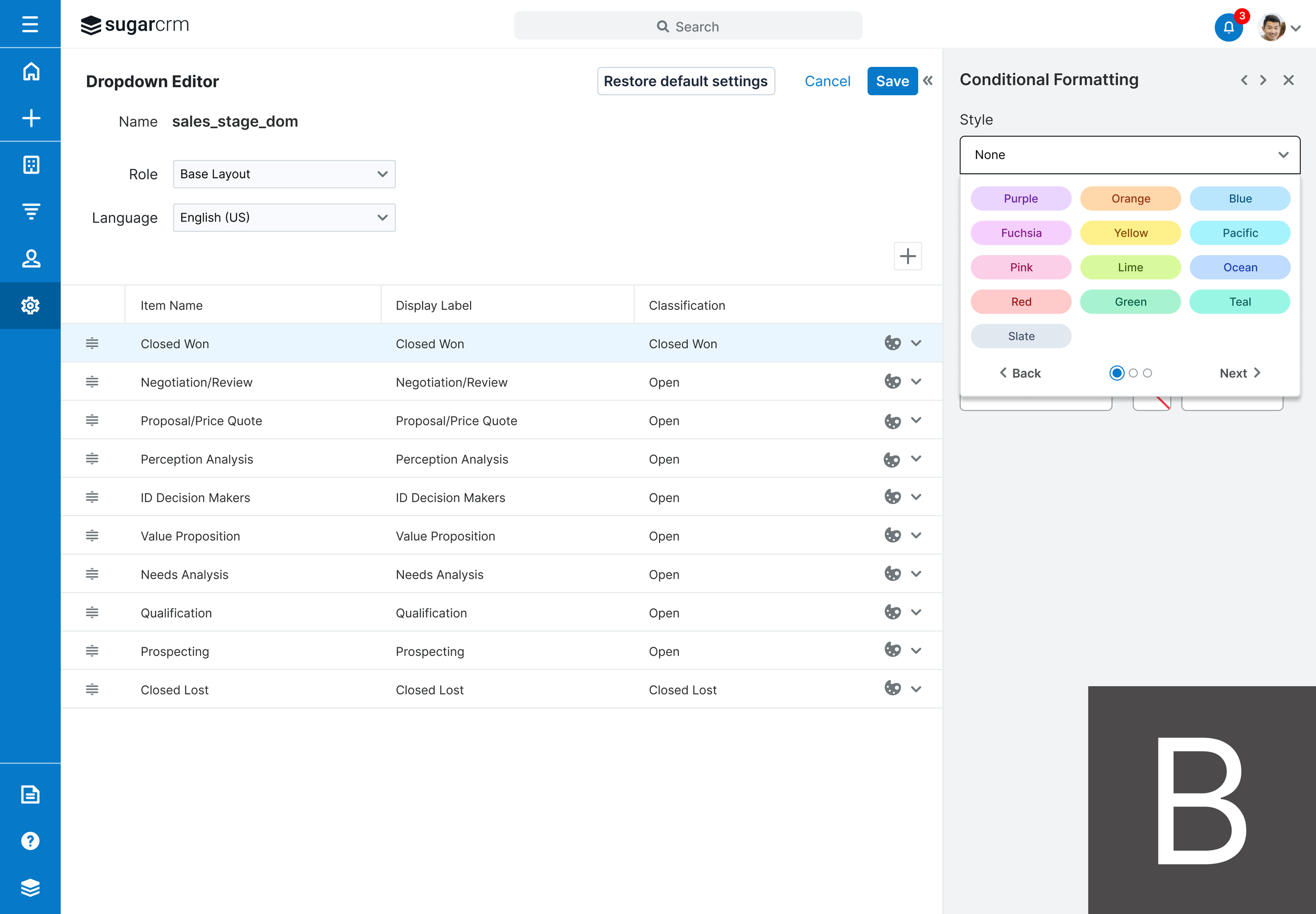
After competitive research and reviewing the requirements document, I created low fidelity mocks that can be found in the Figma file here. During user testing sessions, I used A/B Testing since I created two different possible UIs for the solution.
Feedback from User Testing
“I expected the color styling to apply to all views where that field is used. The concepts with the consistent colors across reports are awesome.”
“Icons tied to dropdown values would be an easy way to identify values at a glance.”
“Using company colors in conditional formatting is really beneficial, so that supports the idea of allowing custom color selection (B).”
“I like all the custom options in the B screens and the experience in the side panel overall.”
With all of the feedback, we moved forward with the UI and flow of the B screens.
Final Solution
After sharing with customers in user testing, I incorporated their feedback and iterated on designs before landing on the final solution, which can be found in the Figma file here. After sharing with the engineering team, I remain available for any questions and review the final implementation.